Updating Your Profile
Joel Manzer1 min read
This article may contain affiliate links. Learn more
I'm very excited at seeing a few hundred people joining the site in one week!
And we launched this redesign only a week ago!
So I'm on my mobile phone and noticed that there are people I know who are on the site, and as it is with new platforms, some tips on navigating it may be needed.
Hey, I'm still figuring this thing out as well, so if you have tips or suggestions, please feel free to pass them along.
Ok, here's a quick 'how-to' on updating your Autisable profile...
If you're logged into Autisable, check out the following info to update your profile on the site.
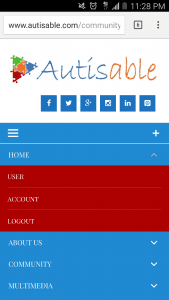
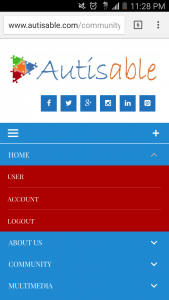
First, from the menu, select home... then user...(or whatever name is above account)...
 Next, select the gear picture, then edit profile...
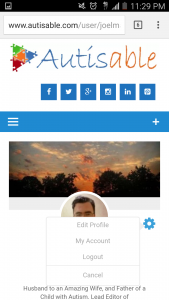 You will now be able to change/update your profile pic and cover photo... and add a short intro about yourself...
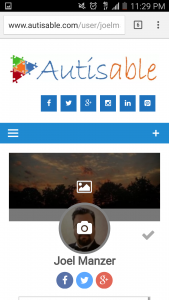
Next, select the gear picture, then edit profile...
You will now be able to change/update your profile pic and cover photo... and add a short intro about yourself...
The recommended dimensions of the profile pic and cover photo are as follows: - Minimum width - 400px, Maximum width - 1000px - no larger than 390.6kb
Soon I'll post on submitting a blog post to the main page, along with other 'how-to's'. Looking forward to your comments or if you have any questions or suggestions. We still have a lot more functionality to add to the site... stay tuned!


Disclosure: Autisable.com participates in affiliate programs, including the Amazon Services LLC Associates Program and other affiliate advertising programs. This means we may earn commissions from qualifying purchases at no additional cost to you.
Comments
Join the community to leave a comment.